PET CARE AI AFFILIATE PROGRAM
Share better pet care. Grow your referrals.
Get your unique affiliate code inside the Pet Care AI app, share it with your audience, and track referral activity from one simple dashboard.
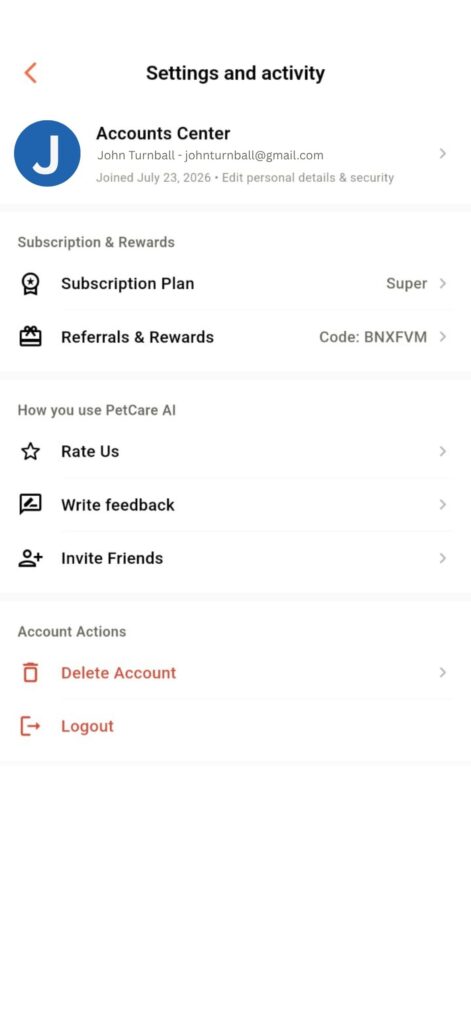
Your code → share anywhere
✓ Track active referrals
How it works
From account setup to referral tracking
The affiliate flow is designed to happen inside the Pet Care AI app, with your personal affiliatecode and referral dashboard always accessible from your profile.
01
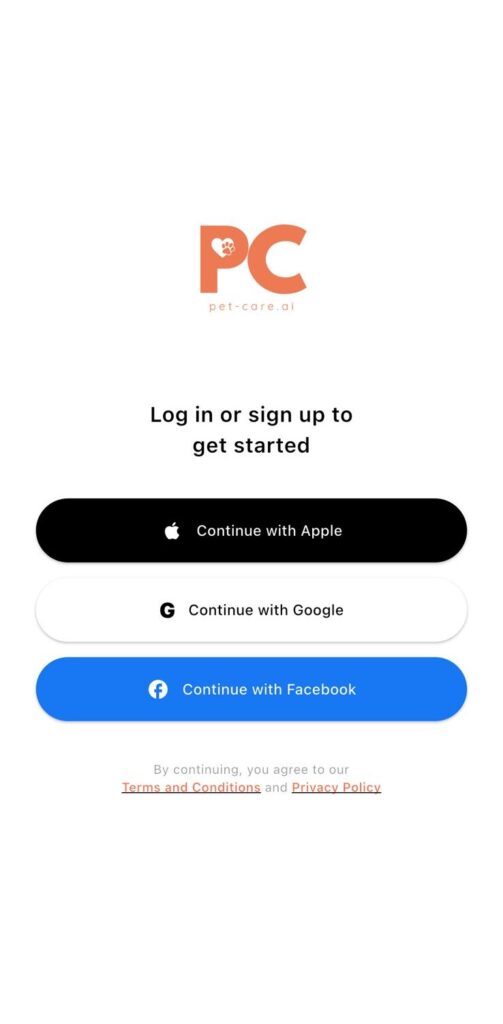
Create or log in
Use one of the available sign-in options to set up your Pet Care AI account.
02
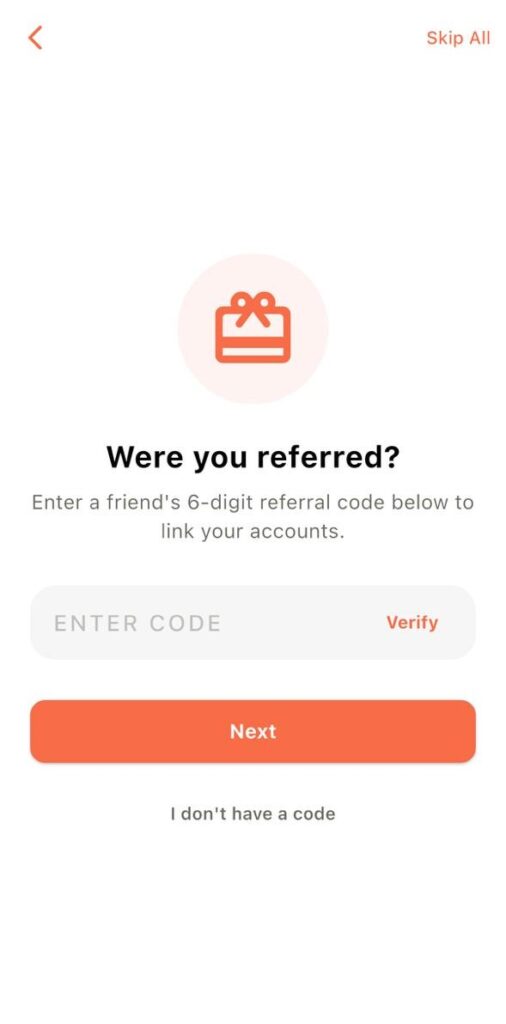
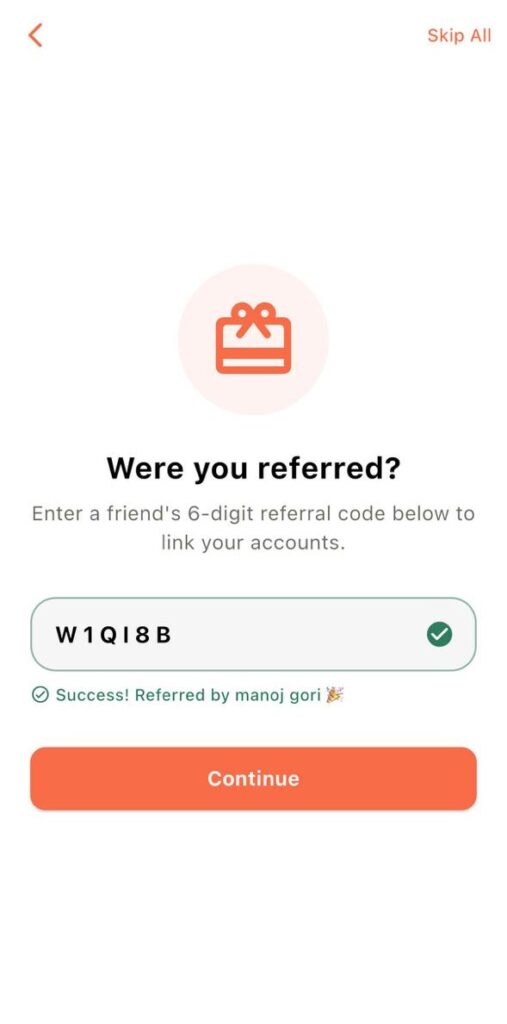
Confirm who referred you
If you received an onboarding referral code, enter and verify the 6-digit code.
03
Find your own code
Go to My Profile → Referrals & Rewards to access your unique affiliate code.
04
Share with your audience
Add your code to approved social posts, stories, videos, captions and promotional channels.
05
Track referrals
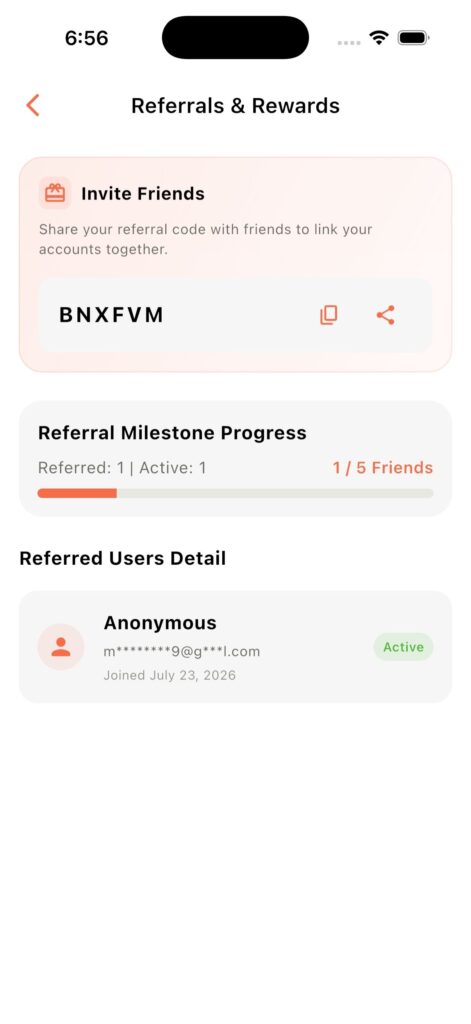
See referred users, active status and your progress toward the next reward milestone.
06
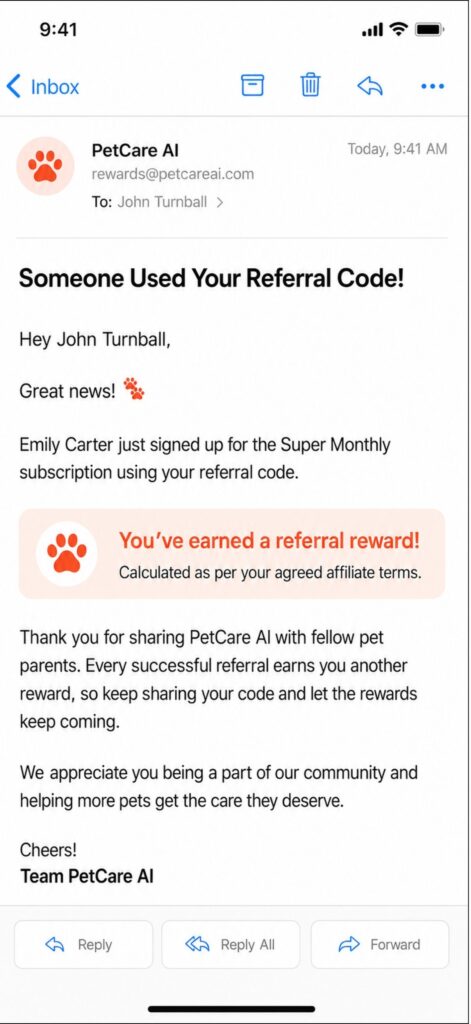
Get notified
When someone successfully subscribes using your unique code, you receive an email notification.
Step 1
Start with your Pet Care AI account.
New users can create an account using the available login options in the app. This is the account you will use to access your affiliate code and referral activity.
- Sign in or create a new account.
- Follow the in-app onboarding steps.
Step 2
Confirm your on boarding referral.
If an existing affiliate or the Pet Care AI team invited you, enter the 6-digit referral code that was shared with you. Tap Verify, review the confirmed referrer, then continue.
Two codes. Two different purposes.
The code you enter during onboarding identifies who referred you. Your personal affiliate code is the one you share with your own audience.
Step 3
Find your personal affiliate code.
Once your account is set up, open My Profile and select Referrals & Rewards. Your unique affiliate code is displayed there and can be used in approved promotional content.
- Social media content and stories
- Videos and captions
- Other approved promotional channels
Affiliate dashboard
Everything you need to manage your referrals.
The Referrals & Rewards dashboard brings your affiliate activity together in one place.
Copy Code
Share Code
Milestone Progress
Referred Users
Active Status
Your Activity
The referral journey
Share once. Follow the progress.
Your personal code connects referral activity back to your affiliate account, while the dashboard helps you see progress and qualifying status.
You share your code
Through approved channels
A user joins
Using your unique code
Referral is attributed
Visible in your dashboard
Status becomes active
After the qualifying action
Progress updates
Toward the next milestone
Email notification
Know when a on boarding referral subscribes.
Whenever someone successfully subscribes using the influencer’s unique referral code, the influencer receives an email notification at the registered email address.
No need to keep refreshing.
The email notification confirms that someone successfully subscribed using your referral code.
FAQ
Questions affiliates are likely to ask.
These answers follow the affiliate flow shown in the current Pet Care AI guide.
Open the Pet Care AI app, go to My Profile and select Referrals & Rewards. Your unique affiliate code is displayed there.
No. The onboarding referral code links you to the person or team that onboarded you. Your personal affiliate code is a separate code that you share with your audience.
The Referrals & Rewards dashboard shows referred users, milestone progress and active status for qualifying referrals.
Active status indicates that the referred user completed the required qualifying action and is counted toward your milestone.
The guide lists social media content, stories, videos, captions and other approved promotional channels.
When someone successfully subscribes using your unique referral code, an email notification is sent to your registered email address.
Ready to start sharing Pet Care AI?
Create your account, find your personal code under Referrals & Rewards, and start sharing it with your audience through approved channels.